A mobile app can be a powerful growth tool for almost any business. But simply putting your company's website into an app isn't enough.
Every industry has its own customers, workflows, expectations, and daily habits. A customer ordering dinner doesn't interact with an app in the same way as someone booking a salon appointment. A gym member has completely different needs from a patient scheduling a medical consultation, while a property buyer may spend weeks browsing listings before contacting an agent.
That's why industry-specific mobile app development matters.
The best business apps aren't packed with every possible feature. They're built around the actions customers already want to perform and make those actions faster, easier, and more convenient.
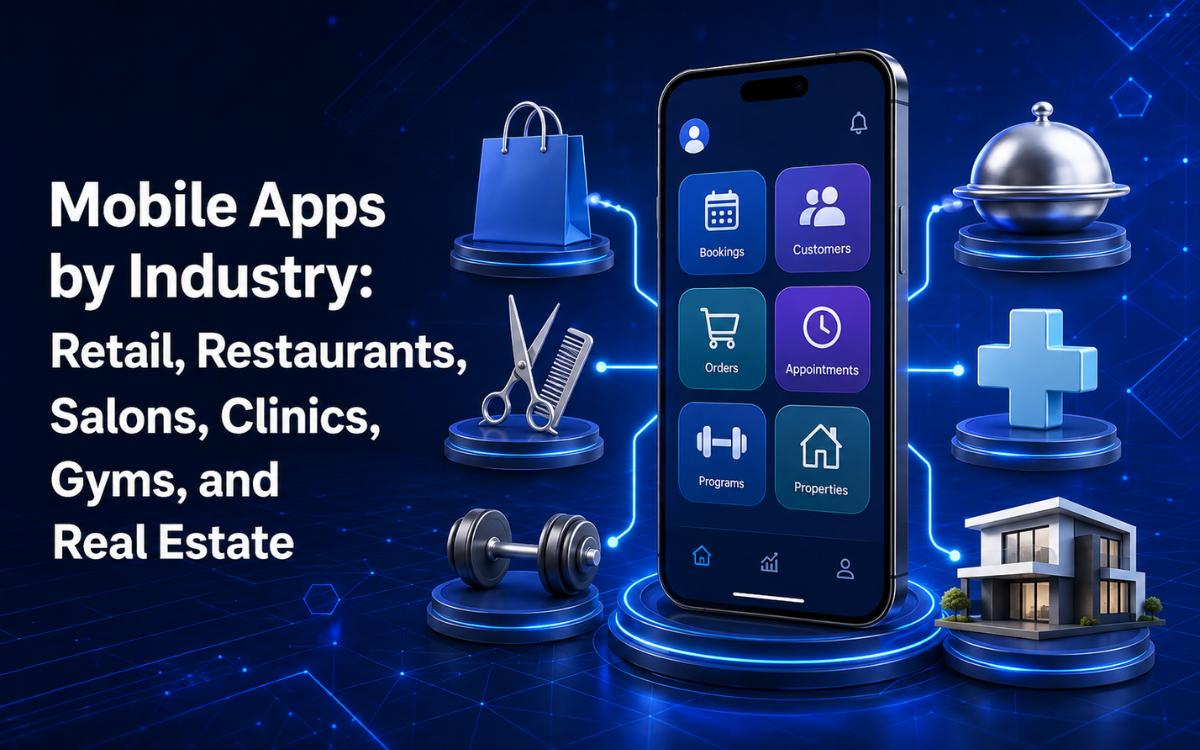
Whether you're considering a mobile app for a retail business, restaurant, salon, clinic, gym, or real estate company, the right approach begins with understanding how customers actually interact with your business.
Why Generic Mobile Apps Often Fail
One of the most common mistakes businesses make is trying to create a generic application that does everything.
The thinking often sounds like this:
"Let's add accounts, messaging, payments, notifications, loyalty, reviews, promotions, analytics, booking, and everything our competitors have."
The result is frequently an expensive application with dozens of features customers rarely use.
A better strategy is to identify the core customer habit your app needs to support.
For some businesses, that's ordering.
For others, it's booking.
For others, it's browsing products, managing memberships, scheduling appointments, or contacting an agent.
When the primary action is easy, customers have a reason to keep the app installed.
When an app creates unnecessary friction, users often return to Google, a website, a phone call, or a competitor.
Mobile App for Retail Business
Retail apps succeed when they make shopping fast and convenient.
Customers usually want to:
- Find products quickly
- Check pricing and availability
- Add items to their cart
- Complete purchases easily
- Track their orders
A successful retail application should focus on making this journey as frictionless as possible.
Essential Features for Retail Apps
A retail application may include:
- Product catalogs
- Product search
- Categories and filters
- Product details and images
- Shopping carts
- Saved carts
- Wishlists
- Secure checkout
- Multiple payment options
- Order tracking
- Purchase history
- Push notifications
- Personalized offers
- Store locations
- Customer accounts
Not every retailer needs all these features immediately.
For many businesses, product browsing, checkout, and order tracking provide the most value in the first version.
Make Product Discovery Fast
Retail customers often browse several products before making a purchase.
Your app should make it easy to:
- Search for products
- Filter results
- Review details
- Add items to the cart
- Complete checkout
Poor navigation or a complicated checkout process can quickly lead to abandoned carts.
Use Notifications Carefully
Push notifications can help bring customers back when they provide genuine value.
Examples include:
- Back-in-stock alerts
- Order updates
- Limited-time promotions
- Personalized recommendations
- Price-drop notifications
- New product announcements
The key is relevance.
Too many promotional notifications can encourage users to disable them entirely.
Mobile App for Restaurant Business
A restaurant app has one primary goal:
Make ordering as simple as possible.
Customers want to browse the menu, customize their order, pay, and receive clear information about when their food will be ready.
Essential Restaurant App Features
A restaurant application may include:
- Digital menus
- Menu categories
- Food photography
- Item customization
- Add-ons and modifiers
- Online ordering
- Pickup orders
- Delivery orders
- Secure payments
- Order history
- Order tracking
- Reordering functionality
- Loyalty programs
- Promotions
- Push notifications
- Store locations
Make Repeat Ordering Easy
Restaurants benefit from repeat customer behavior.
If someone orders the same meal every Friday, they shouldn't need to rebuild that order from scratch every time.
A simple reorder feature can dramatically improve convenience and increase repeat purchases.
Connect the App to Operations
A restaurant app should reduce employee workload, not increase it.
Orders placed through the app should ideally flow directly into:
- POS systems
- Kitchen systems
- Delivery management tools
- Customer databases
This reduces errors and eliminates duplicate data entry.
Mobile App for Salon and Spa Businesses
For salons and spas, mobile apps are often centered around booking and retention.
Customers typically want quick answers to questions such as:
- What services are available?
- How much do they cost?
- Which professionals are available?
- When can I book?
- How do I rebook?
A well-designed salon application makes these actions simple.
Essential Salon App Features
A salon or spa application might include:
- Service catalogs
- Service descriptions
- Pricing information
- Stylist profiles
- Staff availability
- Appointment booking
- Appointment rescheduling
- Appointment cancellation
- Booking history
- Automated reminders
- Loyalty programs
- Promotions
- Reviews
- Rebooking prompts
- Customer profiles
Let Customers Choose Their Preferred Professional
Many salon customers build relationships with specific professionals.
They may prefer:
- A particular hairstylist
- A specific barber
- A preferred nail technician
- A trusted massage therapist
Allowing customers to choose their preferred professional creates a more personalized experience.
Rebooking Drives Retention
Many salon services are recurring.
Instead of requiring customers to search, call, and coordinate availability, an app can simplify the process:
Visit → Reminder → Tap → Rebook
That convenience can significantly improve retention.
Mobile App for Clinic or Healthcare Businesses
Healthcare applications require a different balance of convenience, trust, security, and reliability.
Patients interact with sensitive information and important services, so the application should be designed with privacy and security in mind from the beginning.
Common Healthcare App Features
Depending on the healthcare organization and regulations involved, features may include:
- Appointment booking
- Provider profiles
- Appointment reminders
- Secure patient communication
- Visit history
- Prescription information
- Test results access
- Billing information
- Telehealth functionality
- Notifications
- Clinic information
- Directions and contact details
Trust Comes Before Convenience
Patients need confidence that:
- Information is handled appropriately
- Appointments are accurate
- Communication is secure
- Data remains protected
- The system behaves reliably
Security should influence architecture, authentication, access controls, and development decisions from the very beginning.
Keep the Experience Simple
Healthcare can already be stressful.
Patients shouldn't need to navigate complicated menus to:
- Book appointments
- Find providers
- View information
- Manage visits
The most important actions should always be easy to find.
Mobile App for Gym and Fitness Studio Businesses
For gyms and fitness studios, an app can become part of a member's daily routine.
The goal is to support the activities members already perform regularly.
Common Gym App Features
A gym or fitness application may include:
- Class schedules
- Class booking
- Reservation cancellation
- Waitlists
- Membership management
- Membership renewal
- Check-ins
- Workout plans
- Progress tracking
- Notifications
- Trainer communication
- Promotions
Class Booking Is Often the Core Feature
For studios offering scheduled classes, booking management is one of the most valuable app features.
Members can instantly:
View Class → Check Availability → Book
If a class is full, they can join a waitlist and receive notifications when space becomes available.
Reduce Front Desk Work
A well-designed app can reduce repetitive administrative tasks.
Instead of contacting staff to ask:
- Is tonight's class available?
- When does my membership expire?
- Can I cancel my reservation?
- What's tomorrow's schedule?
Members can find those answers themselves.
Mobile App for Real Estate Businesses
Real estate apps support a very different customer journey.
Most users browse extensively before contacting an agent.
That makes search functionality, filters, and property information particularly important.
Essential Real Estate App Features
A real estate application may include:
- Property listings
- High-quality property photos
- Search functionality
- Location-based browsing
- Price filters
- Property-type filters
- Bedroom and bathroom filters
- Property details
- Map views
- Saved properties
- Saved searches
- New-listing alerts
- Price-change notifications
- Agent profiles
- Direct agent contact
- Viewing requests
Powerful Yet Simple Filtering
Property buyers often have highly specific requirements.
For example:
Apartment → Specific Area → Under Budget → Two Bedrooms
The app should make filtering intuitive and efficient.
Saved Searches Encourage Repeat Visits
Property searches rarely happen in a single session.
Users may return repeatedly over weeks or months.
Saved searches and notifications allow customers to stay connected to relevant listings without repeating the same search process.
High-Quality Images Matter
Real estate is highly visual.
Poor-quality images can significantly reduce engagement.
Fast-loading, high-quality photography should be considered a core feature rather than an enhancement.
What These Industries Have in Common
Retail, restaurants, salons, healthcare providers, gyms, and real estate businesses may appear very different, but successful applications share several characteristics.
1. They Solve a Frequent Problem
The best apps support actions customers already perform regularly.
Examples include:
- Shopping
- Ordering
- Booking
- Scheduling
- Checking memberships
- Searching properties
2. They Reduce Friction
Customers download apps because they expect convenience.
Instead of:
Search → Call → Wait → Confirm
An app should enable:
Open → Select → Confirm
Even small reductions in friction can have a major impact.
3. They Connect to Business Operations
Behind every customer-facing app may be:
- CRM systems
- POS systems
- Booking platforms
- Inventory systems
- Payment gateways
- Accounting software
- Staff management tools
Connecting these systems helps eliminate duplicate work and improve efficiency.
4. They Use Notifications Thoughtfully
Good notifications provide useful information.
Examples include:
- Retail: Your saved item is back in stock.
- Restaurant: Your order is ready.
- Salon: Your appointment is tomorrow.
- Clinic: Appointment reminder.
- Gym: Your class begins in one hour.
- Real Estate: A matching property has been listed.
5. They Don't Try to Do Everything
Feature overload is one of the biggest risks in app development.
More features do not automatically create a better experience.
The most successful apps focus on one or two highly valuable customer actions and build outward from there.
How to Choose the Right Features for Your Industry App
Before development begins, ask these questions:
1. What Do Customers Do Most Often?
This should influence your navigation and home screen design.
2. What Causes the Most Friction?
If customers frequently call to book appointments, booking should be central to the application.
3. What Can Be Automated?
Identify repetitive tasks currently handled manually.
4. What Information Is Repeatedly Requested?
Repeated customer questions often indicate strong self-service opportunities.
5. What Makes Customers Return?
Apps need a reason to remain installed.
That reason may be:
- Shopping
- Ordering
- Booking
- Membership management
- Property searching
- Appointment management
Why Industry-Specific App Development Matters
A generic application may technically provide basic functionality.
However, industries have unique requirements.
For example:
- Restaurants need menu customization and operational workflows.
- Salons need staff availability and booking systems.
- Gyms need memberships, classes, and check-ins.
- Real estate businesses need listings, maps, and saved searches.
- Clinics need secure patient-focused workflows.
- Retailers need product discovery and checkout systems.
These requirements are not interchangeable.
That's why successful mobile app development starts with the business model and customer journey rather than a predefined feature list.
Building an MVP for an Industry-Specific App
Businesses rarely need every feature at launch.
An MVP should focus on the core customer behavior.
Retail MVP
Browse → Add to Cart → Checkout → Track Order
Restaurant MVP
Browse Menu → Customize → Order → Track
Salon MVP
Choose Service → Choose Stylist → Book → Receive Reminder
Clinic MVP
Find Provider → Book Appointment → Manage Visit
Gym MVP
View Class → Book → Check In → Manage Membership
Real Estate MVP
Search → Filter → Save Property → Contact Agent
This approach reduces unnecessary development and helps businesses learn from real customer behavior before expanding functionality.
Why SpeckPro Focuses on Customer Behavior
At SpeckPro, mobile app development begins with understanding the business and the customer's most important interaction.
For example:
- Retail → Purchasing
- Restaurant → Ordering
- Salon → Booking
- Gym → Class Management
- Real Estate → Property Discovery
- Healthcare → Appointment Management
From there, applications are structured around workflows that genuinely support those interactions.
This helps businesses avoid feature overload and focus on what customers actually need.
Build Around the Habit, Not the Industry Label
Saying:
"We need a retail app."
or
"We need a restaurant app."
is only the beginning.
The more important question is:
What should customers be able to do faster because your app exists?
For retail, that may be shopping.
For restaurants, ordering.
For salons, booking.
For clinics, managing appointments.
For gyms, reserving classes.
For real estate, discovering properties.
Businesses that achieve strong app adoption typically build around recurring customer habits rather than simply launching an app because it feels modern.
Start with the habit.
Build the app around it.
Then expand as customer behavior shows you where to go next.
Frequently Asked Questions
Why are industry-specific mobile apps better than generic apps?
Industry-specific apps are designed around the unique workflows, customer expectations, and operational requirements of a business. This often creates a better user experience and delivers stronger business results.
What features should a retail mobile app include?
Retail apps commonly include product catalogs, search, filtering, shopping carts, secure checkout, order tracking, customer accounts, and push notifications.
What is the most important feature in a restaurant app?
For most restaurants, online ordering is the most valuable feature because it directly supports revenue generation and repeat customer behavior.
Why do salon and spa apps focus on booking?
Most salon customers primarily use digital tools to schedule and manage appointments. Making booking simple and convenient improves retention and customer satisfaction.
What should a healthcare mobile app prioritize?
Healthcare apps should prioritize privacy, security, appointment management, patient communication, and a simple user experience that reduces stress for patients.
How should businesses approach an MVP mobile app?
Focus on the single most valuable customer action first. Launch a streamlined version, gather feedback, analyze usage, and expand functionality based on real customer behavior rather than assumptions.
Interested in building a similar app? See our mobile app development services.
SpeckPro Editorial Team
Web DevelopmentNotes from the SpeckPro team on building, improving, and scaling digital products.