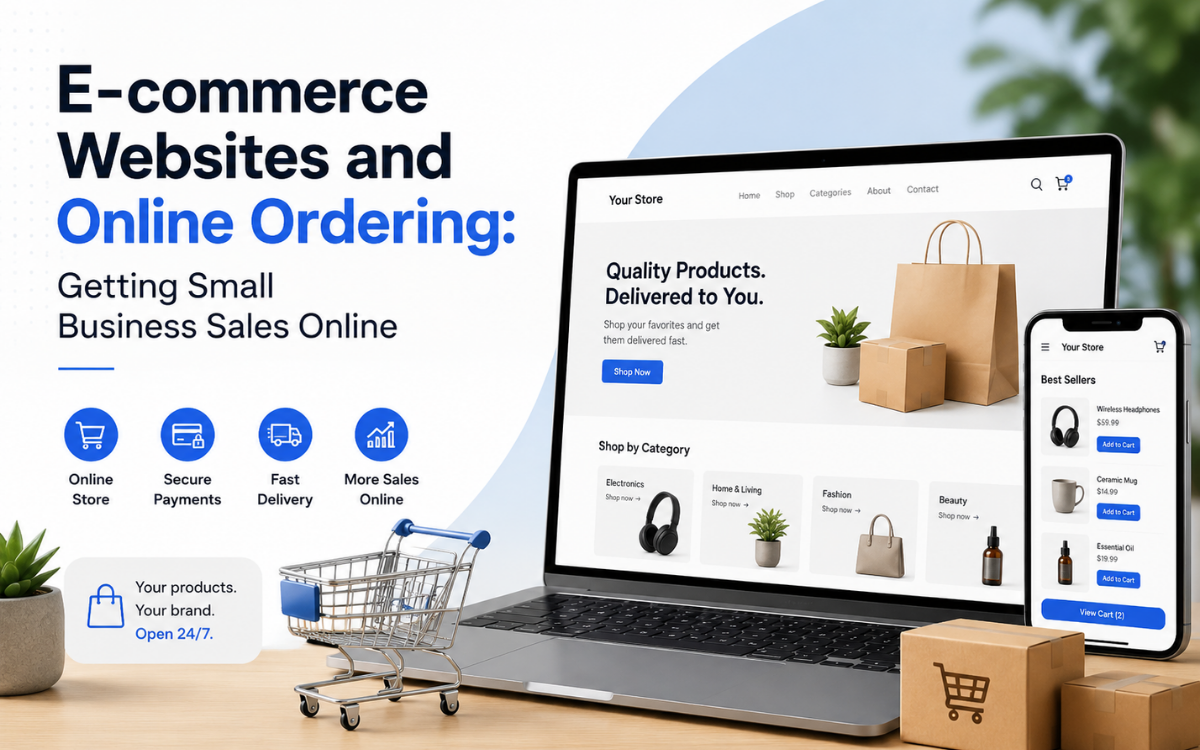
Setting up an online store is easier than ever.
You can create a product catalog, connect a payment gateway, choose a theme, and technically have a store online within a short time.
But getting a store online is not the same as building an e-commerce business that actually generates sales.
The real challenge is turning visitors into customers—and customers into repeat buyers.
A successful ecommerce website for small business needs to do more than display products. It needs to make discovery easy, answer customer questions, remove friction from checkout, communicate clearly, and create enough trust for someone to confidently complete a purchase.
For restaurants, cafes, and service businesses, the requirements are slightly different. A website with an online ordering system needs to prioritize speed and simplicity rather than encouraging customers to browse dozens of pages.
Whether you're selling physical products, meals, appointments, or services, the principle is the same:
Make it easy for customers to get what they want.
Why Having an Online Store Isn't Enough
Many small businesses assume that once their products are available online, customers will naturally start buying.
In reality, customers can abandon a purchase for dozens of reasons.
They may encounter:
- Slow-loading pages
- Confusing navigation
- Complicated checkout
- Unexpected shipping costs
- Unclear delivery times
- Missing product information
- Poor-quality images
- Limited payment options
- Difficult return policies
- Lack of trust signals
- A website that works poorly on mobile
None of these problems necessarily prevent a customer from finding your business.
They simply make buying harder.
And when buying becomes difficult, customers have plenty of alternatives.
That's why e-commerce website development should focus on the entire customer journey—not just the shopping cart.
What an Ecommerce Website for Small Business Needs
A small business doesn't necessarily need the most sophisticated e-commerce platform available.
It needs the right functionality for its customers and operations.
At a minimum, a professional online store should make it easy to:
- Discover products
- Understand what you're selling
- Add products to a cart
- Complete payment
- Receive confirmation
- Track the order
- Return and purchase again
Each stage represents an opportunity either to build confidence or introduce friction.
1. Fast Product Browsing
Customers shouldn't have to fight the website to find products.
A good e-commerce experience typically includes:
- Clear categories
- Search
- Filters
- Product images
- Product descriptions
- Pricing
- Availability
- Variations such as size or color
- Related products where useful
The exact structure depends on the number and type of products.
A business selling 30 products doesn't need the same navigation system as a retailer with 30,000 products.
The objective is to help customers find the right product quickly.
2. High-Quality Product Information
Online shoppers can't physically touch or examine a product before purchasing.
Your website therefore needs to compensate with good information.
Product pages may include:
- Multiple photographs
- Detailed descriptions
- Dimensions
- Materials
- Sizes
- Colors
- Specifications
- Stock availability
- Delivery information
- Return information
- Customer reviews
The more expensive or complicated the product, the more information customers may need before they feel comfortable buying.
A vague product page creates uncertainty.
A clear product page removes it.
3. A Fast, Simple Checkout
The checkout process is one of the most important parts of an online store.
A customer who has already decided to buy shouldn't encounter unnecessary obstacles at the final stage.
A strong checkout experience should aim to reduce:
- Unnecessary form fields
- Repeated information
- Unexpected charges
- Forced account creation
- Confusing navigation
- Unclear payment steps
Returning customers can benefit from saved information where appropriate, allowing them to complete future purchases more quickly.
The ideal experience should feel predictable:
Cart → Delivery → Payment → Confirmation
The fewer unnecessary decisions a customer has to make, the better.
Mobile E-commerce Is Essential
For many businesses, customers will discover and shop through their phones.
That makes mobile optimization more than a design preference.
Your e-commerce website should be easy to use on smaller screens, including:
- Product browsing
- Search
- Product selection
- Cart management
- Checkout
- Payment
- Order tracking
Buttons need to be easy to tap.
Text needs to be readable.
Images need to load efficiently.
Forms should be simple to complete.
And checkout should not become frustrating simply because the customer is using a smartphone.
Website Speed and Conversion
Speed affects the shopping experience.
If product pages take too long to load, customers may leave before they even see what you're selling.
Slow websites can also make browsing frustrating, particularly on mobile networks.
That means performance should be considered during development rather than treated as something to fix after launch.
Important areas include:
- Image optimization
- Efficient code
- Caching
- Content delivery
- Database performance
- Hosting infrastructure
- Third-party scripts
You don't need to make the site complicated to make it powerful.
Often, removing unnecessary complexity improves both performance and usability.
Clear Shipping and Delivery Information
Customers don't like surprises.
Before completing a purchase, they may want to know:
- How much shipping costs
- When the order will arrive
- Which locations you deliver to
- Whether free shipping is available
- Whether they can collect the order
- How orders are tracked
If these answers aren't easy to find, customers may abandon the purchase rather than take a risk.
Clear information builds confidence.
For a local business, this can be particularly important because delivery zones and pickup options may vary by location.
Returns and Refunds Matter
Customers also want to know what happens if something goes wrong.
A clear returns policy should explain:
- Whether returns are accepted
- How long customers have to return items
- Which products are eligible
- Who pays return shipping
- How refunds are processed
- What customers should do to start a return
The policy doesn't have to be complicated.
It needs to be understandable.
When customers know what to expect, they're more likely to feel comfortable purchasing.
Inventory Management: The Business Side of E-commerce
Customers see the storefront.
Your team has to manage what happens behind it.
One of the most important components of an ecommerce website for small business is accurate inventory management.
If a product appears available online when it is actually out of stock, you create an operational problem.
Someone then has to:
- Contact the customer
- Explain the situation
- Offer alternatives
- Process a refund or delay
- Update the inventory manually
A well-designed e-commerce system can synchronize inventory and make availability visible to customers.
Depending on the business, this may involve connecting the website to:
- Inventory systems
- POS systems
- Warehouse software
- Accounting platforms
- Supplier systems
- Order management tools
The goal is to reduce manual updates and keep the information customers see accurate.
Website With Online Ordering System
Not every business needs traditional e-commerce.
Restaurants, cafes, bakeries, takeaway businesses, and service companies often need something slightly different.
They need a website with online ordering system functionality.
The customer journey is usually more direct.
For example:
Open website → Choose item → Customize → Order → Pay → Receive confirmation
The customer may already know what they want.
The goal isn't necessarily to encourage extensive browsing.
It's to get them through the transaction quickly.
Online Ordering for Restaurants
A restaurant website with online ordering can include:
- Digital menu
- Categories
- Food descriptions
- Photos
- Add-ons
- Customization
- Pickup ordering
- Delivery ordering
- Delivery zones
- Estimated preparation times
- Online payment
- Order confirmation
- Order status
- Repeat ordering
The interface should prioritize the menu and ordering process.
If a customer has to navigate through several marketing pages before finding the menu, the website isn't serving its most important purpose.
Make Restaurant Customization Simple
Food orders often involve choices.
A customer might need to select:
- Size
- Toppings
- Sauces
- Sides
- Cooking preferences
- Add-ons
- Quantity
These options should be clearly presented.
Poorly designed customization can cause errors or force customers to leave instructions in a free-text field.
Structured options are often easier for both customers and restaurant staff.
Order-Ahead and Pickup
Pickup ordering can be particularly valuable for local restaurants.
Customers can place their order before arriving and receive an estimated pickup time.
A simple workflow might be:
Select food → Choose pickup → Select time → Pay → Confirmation
The restaurant receives the order and can prepare it accordingly.
This can improve convenience without requiring customers to wait in line.
Delivery Tracking and Communication
For businesses offering delivery, customers want to know what's happening.
Useful information can include:
- Order received
- Order being prepared
- Order ready
- Driver assigned
- Order dispatched
- Estimated arrival
The exact level of tracking depends on the business.
A small restaurant doesn't necessarily need sophisticated real-time GPS tracking on day one.
Sometimes clear status updates are enough.
Online Ordering for Service Businesses
Online ordering isn't limited to food.
Service businesses can also use online transaction and booking systems.
For example:
- Salons can accept appointments
- Cleaning companies can accept service requests
- Repair businesses can accept bookings
- Consultants can schedule consultations
- Fitness studios can accept class registrations
- Professional services can collect inquiries or deposits
The important question is:
What does the customer need to complete online?
The answer determines what the ordering system should actually do.
Payments and Trust
Getting customers to the payment screen is only half the challenge.
They also need to feel comfortable completing the transaction.
An effective payment experience should communicate:
- What they're buying
- How much it costs
- Delivery or service charges
- Taxes where applicable
- Available payment methods
- What happens after payment
Customers should never feel as though they're entering a payment process without knowing what happens next.
Offer Recognizable Payment Options
Payment preferences vary by market and customer.
Depending on your location and business model, an online store may support:
- Credit cards
- Debit cards
- Digital wallets
- Bank-based payment methods
- Local payment solutions
- Cash on delivery where appropriate
The best approach is to offer payment methods your target customers already understand and trust.
Don't add payment options simply to make the checkout screen look impressive.
Prioritize the methods your customers actually use.
Frequently Asked Questions
What is the best ecommerce website for a small business?
The best ecommerce website is one that matches your business model, customer behavior, and operational requirements. The ideal solution should make purchasing easy, support mobile users, and integrate with your existing business systems.
Do small businesses need a custom online ordering system?
Not always. Some businesses can succeed with standard ecommerce platforms, while others benefit from custom online ordering systems that support specialized workflows, restaurant ordering, bookings, or service requests.
How important is mobile optimization for ecommerce?
Mobile optimization is essential because many customers browse, shop, and complete purchases using smartphones. A poor mobile experience can significantly reduce conversions.
Can an ecommerce website integrate with inventory and accounting systems?
Yes. Modern ecommerce websites can integrate with inventory management, accounting software, CRM platforms, payment providers, shipping systems, and other business tools.
What should be prioritized first when launching an online store?
Start with product discovery, checkout, payment processing, order management, and a strong mobile experience. Additional features can be added later based on customer behavior and business needs.
SpeckPro Editorial Team
Web DevelopmentNotes from the SpeckPro team on building, improving, and scaling digital products.