"We need an app."
It's one of the most common requests small business owners bring to a mobile app development company—and one of the least specific.
An app can mean a simple loyalty program, an online ordering platform, a booking system, an internal employee tool, a marketplace, or a full-scale customer management platform. The development effort, technology, timeline, and cost can be completely different for each.
That's why the first step in custom mobile app development for small businesses shouldn't be choosing a technology or asking for a quote.
It should be answering a more important question:
What exactly should the app do for your customers or your team?
Once that is clear, it becomes much easier to determine what you actually need, what can wait until later, and where your development budget should go.
Business App Development Services, Demystified
A custom mobile app is software designed around the specific needs of your business.
Unlike off-the-shelf solutions, a custom application can be built around your workflows, customers, branding, integrations, and business processes.
However, "custom" doesn't mean you need hundreds of features.
For many small businesses, the most effective app is one that solves one or two important problems exceptionally well.
Depending on your business, a mobile application might be:
- A customer-facing ordering app
- A booking and appointment platform
- A loyalty and rewards application
- An e-commerce shopping app
- An employee scheduling tool
- An inventory management system
- A field-service application
- A customer communication platform
- A delivery and order-tracking app
- A hybrid customer and staff solution
The right choice depends on where an app can create measurable business value.
Customer-Facing Apps
Customer-facing apps are designed primarily for people who buy from or interact with your business.
Restaurant Apps
A restaurant application might include:
- Online ordering
- Menu browsing
- Order tracking
- Customer accounts
- Promotions
- Loyalty points
- Push notifications
Salon and Service Apps
A salon application may provide:
- Appointment booking
- Service selection
- Staff selection
- Appointment reminders
- Customer profiles
- Loyalty rewards
E-Commerce Apps
An online store application might include:
- Product browsing
- Search and filtering
- Shopping carts
- Checkout functionality
- Order tracking
- Wishlists
- Personalized offers
The common theme is repeat interaction.
If customers perform the same actions regularly, an app can make those actions faster, easier, and more convenient.
Internal Business Apps
Not every business application needs to be customer-facing.
Sometimes the greatest opportunity exists inside the company itself.
Internal applications can help teams manage:
- Staff schedules
- Inventory
- Sales
- Customer records
- Field visits
- Deliveries
- Work orders
- Inspections
- Internal communication
- Reporting
For example, a field-service company might replace paper forms and spreadsheets with an application that allows employees to:
- Receive assignments
- Update job statuses
- Upload photos
- Collect signatures
- Submit reports from the field
In this case, the app isn't designed to attract customers. It's designed to improve efficiency and reduce operational friction.
Hybrid Business Apps
Some businesses require both customer-facing and internal functionality.
A hybrid application might allow customers to place orders while providing staff with a separate interface for managing those orders.
Customers may see:
Order Placed → Preparing → Ready → Delivered
Employees may see:
New Order → Assigned → In Progress → Completed
Both experiences rely on the same underlying data.
Hybrid applications can deliver significant value, but they also introduce additional complexity because multiple user experiences must be supported simultaneously.
That's why identifying user roles early is critical.
What Actually Determines the Cost of a Custom Mobile App?
There is no universal price for a business app.
Two applications that appear similar on the surface can have dramatically different development costs due to differences behind the interface.
Several factors have the biggest impact on pricing.
1. Number of User Roles
A simple application with one user type is generally easier to build than one supporting multiple permission levels.
Common roles include:
- Customers
- Staff
- Managers
- Administrators
- Vendors
- Delivery personnel
Each role may require unique screens, permissions, workflows, and access controls.
For example:
- Customers create orders.
- Employees manage order progress.
- Administrators manage pricing and refunds.
Every additional role increases product and technical complexity.
2. Number and Complexity of Features
Not all features require the same effort.
A simple profile page is very different from a real-time delivery tracking system.
Lower-Complexity Features
- User registration
- Login
- Profiles
- Static content
- Basic search
- Contact forms
- Simple notifications
Medium-Complexity Features
- Booking systems
- Product catalogs
- Loyalty programs
- Payment processing
- Customer dashboards
- Order management
- Ratings and reviews
Higher-Complexity Features
- Real-time location tracking
- Live chat
- Video calling
- Marketplace functionality
- Advanced personalization
- Real-time collaboration
- AI-powered features
- Advanced analytics
Feature complexity often impacts cost more than the number of screens.
3. iOS, Android, or Both?
Another major consideration is platform support.
Do you need:
- Android only?
- iOS only?
- Both Android and iOS?
Cross-platform development can often reduce duplication by allowing developers to share much of the codebase.
Native development may still be appropriate when platform-specific performance or functionality is required.
The right approach depends on your product goals rather than a one-size-fits-all rule.
4. Backend Development
The mobile interface is only one part of the application.
Behind it, you may need:
- Databases
- APIs
- Authentication
- User management
- Business logic
- File storage
- Notifications
- Payment processing
- Analytics
- Admin dashboards
- Security controls
A simple information-based app requires far less backend functionality than an application managing orders, payments, staff operations, and customer accounts.
This is why comparing app quotes solely by screen count can be misleading.
Integrations Can Significantly Affect Cost
Many businesses already rely on software systems to operate.
Your app may need to integrate with:
- Payment gateways
- Accounting software
- CRM platforms
- Booking systems
- Calendar services
- E-commerce tools
- Inventory management software
- Maps and location services
- Email platforms
- SMS providers
- Marketing tools
Integrations can save time by leveraging systems you already use, but they can also increase development complexity.
Before development begins, make a list of the tools your business already depends on.
Real-Time Features Increase Complexity
Real-time functionality often sounds simple to users.
For example:
"Show me where my delivery driver is."
Behind the scenes, that feature may require:
- Location services
- APIs
- Databases
- Background processes
- Mapping systems
- Permissions management
- Real-time synchronization
The same applies to:
- Live chat
- Real-time order tracking
- Driver monitoring
- Collaborative editing
- Live inventory updates
- Instant notifications
If real-time functionality is not essential for launch, delaying it can simplify development significantly.
What Does an Affordable Business App Actually Look Like?
Affordable does not mean cheap.
A cheap app often sacrifices:
- Quality
- Security
- Scalability
- User experience
An affordable app focuses on delivering the highest business value for the available budget.
That usually starts with an MVP.
Build the MVP Around One Core Problem
Before discussing features, ask:
What is the single most important problem this app needs to solve?
Consider a restaurant application.
Potential features include:
- Ordering
- Loyalty programs
- Delivery tracking
- Reservations
- Customer chat
- Gift cards
- Rewards
- Personalized recommendations
- Social features
- Multiple payment options
A practical MVP might simply focus on:
Browse Menu → Place Order → Pay → Track Order
Once customers begin using the app, you can determine which additional features are worth investing in.
Why Feature Creep Becomes Expensive
Feature creep occurs when a project continuously expands during development.
It often begins with:
"Can we also add..."
Then another feature appears.
Then another.
Eventually, the original MVP becomes a much larger product.
Every new feature affects:
- UX design
- Development
- Backend architecture
- Testing
- Security
- Documentation
- Project management
- Maintenance
That's why experienced development teams prioritize features before writing code.
What the App Development Process Actually Takes
Building a professional mobile application involves much more than coding.
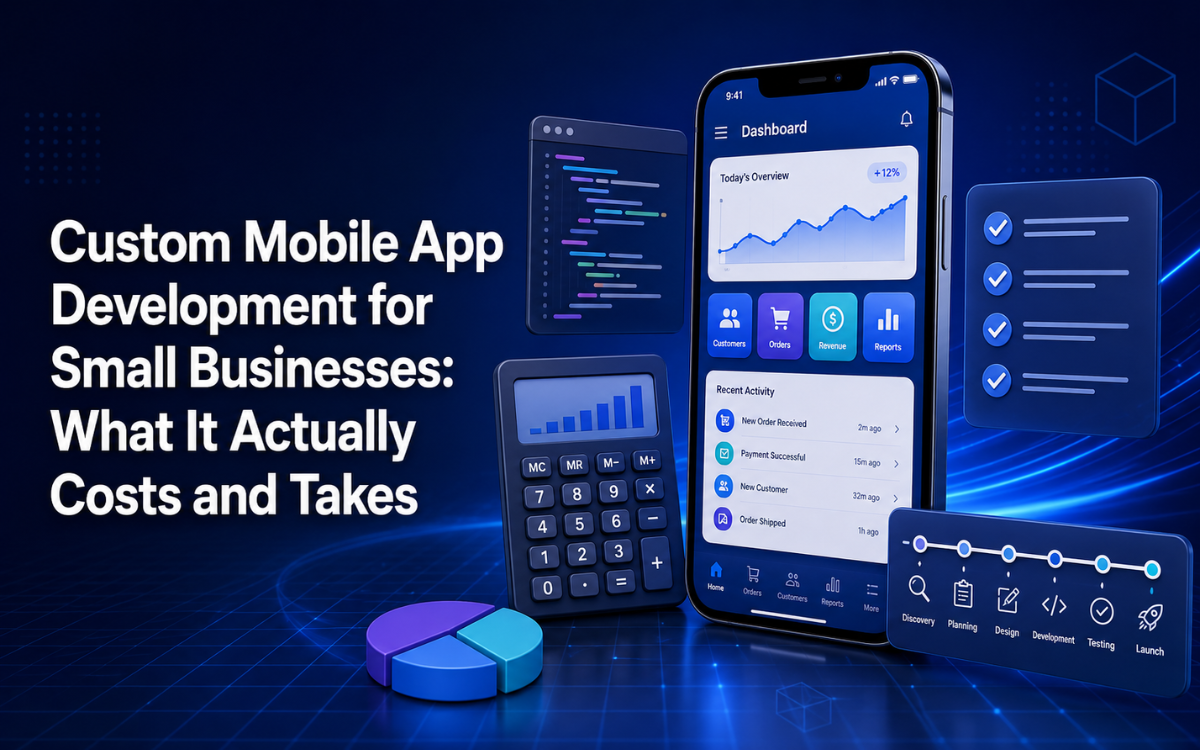
Step 1: Discovery
The development team first needs to understand:
- Who will use the app?
- What problem does it solve?
- What happens today without it?
- What workflows matter most?
- What systems already exist?
- What defines success?
This stage transforms a vague idea into a practical product concept.
Step 2: Feature Planning
Features are usually categorized as:
Must Have
- Required for launch
Should Have
- Valuable but not essential
Could Have
- Nice additions
Future Features
- Planned for later versions
Prioritization prevents businesses from exhausting budgets before validating the product.
Step 3: UX and UI Design
Before development begins, the user experience should be mapped.
This includes:
- User journeys
- Navigation
- Wireframes
- Screen layouts
- Interactions
- Visual design
- Accessibility considerations
Good design reduces friction and makes tasks easier to complete.
Step 4: Development
Developers then build:
- Mobile frontend
- Backend systems
- APIs
- Databases
- Authentication
- Admin tools
- Integrations
- Notifications
Development often occurs across multiple technical layers simultaneously.
Step 5: Testing
Professional applications should be tested for:
- Functional bugs
- Crashes
- Performance issues
- Navigation problems
- Authentication failures
- Payment issues
- Security concerns
- Device compatibility
- Screen size support
- Weak network conditions
Testing on a single device is never enough.
Step 6: Deployment
After testing, the app must be prepared for release.
This may involve:
- App Store submission
- Google Play submission
- Production environments
- Analytics setup
- Monitoring systems
- App signing
- Privacy documentation
Step 7: Maintenance and Improvement
Successful apps require ongoing support.
Over time:
- Operating systems change
- Security requirements evolve
- Third-party services update
- Customers request improvements
Maintenance should always be considered part of the long-term budget.
How to Avoid Overpaying for App Development
The best way to control costs is by controlling unnecessary complexity.
Define the Business Goal First
Don't start with:
"We want 25 features."
Start with:
"We want customers to place repeat orders without calling us."
Clear goals create better products.
Focus on the Highest-Value Workflow
Identify the action that creates the greatest value.
For example:
- Restaurant → Ordering
- Salon → Booking
- Field Service → Job Completion
- Retail → Purchasing
Build around that workflow first.
Reuse Existing Systems
If your business already uses:
- A CRM
- Payment systems
- Inventory software
- Existing databases
Consider integrating rather than rebuilding them.
Avoid Features Nobody Requested
Many features sound impressive but provide little real-world value.
Launch a focused MVP and let actual customer behavior guide future development.
Request Detailed Quotes
A professional proposal should clearly explain whether it includes:
- Discovery
- UX/UI design
- Development
- Backend systems
- APIs
- Integrations
- Testing
- Deployment
- App Store submission
- Maintenance
- Project management
Two quotes can vary dramatically because they include very different scopes.
Custom App Development for Startups and Small Businesses
Startups and small businesses often need enough functionality to launch without exhausting their budgets.
The best approach is usually a deliberately lean first version.
The goal is not to build the final product immediately.
The goal is to:
- Launch a useful version.
- Get it into users' hands.
- Learn from real behavior.
- Improve based on evidence.
This reduces risk and helps ensure future investment goes toward features customers actually value.
Why SpeckPro Focuses on Business Outcomes
For small businesses, the right application starts with the business problem—not a feature wishlist.
SpeckPro has experience delivering applications across industries including e-commerce, entertainment, and public-sector projects, including the Kasabeeston Android and iOS applications.
Rather than beginning with:
"What features do you want?"
The better question is:
"What do you need the app to accomplish?"
From there, features can be prioritized around measurable business value.
The result is a clearer path from idea to launch, with room to expand as customer needs evolve.
Build the App Your Business Actually Needs
A custom mobile app can be a powerful investment when it solves a real business problem.
The biggest mistake is not necessarily spending too much money.
It's spending money on the wrong things.
A successful project begins by:
- Defining the purpose
- Identifying key users
- Prioritizing the MVP
- Choosing the right technology
- Planning for growth
If you're considering custom mobile app development for small businesses, remember that affordable does not mean cutting corners.
It means being intentional about what you build.
Start with the problem.
Define the essential workflow.
Build the smallest useful version.
Launch it.
Learn from your customers.
Then improve it.
That's how a small business turns a mobile app from an expensive technology project into a practical business asset.
Thinking about a mobile app for your business? Start with one question: what should it actually do?
Frequently Asked Questions
How much does custom mobile app development cost for a small business?
The cost depends on the number of features, user roles, integrations, backend requirements, platform support, and overall complexity. A focused MVP is often far more affordable than a feature-heavy first release.
Should small businesses build apps for both iOS and Android?
It depends on the target audience. Many businesses choose cross-platform development to reach both platforms efficiently, while others prioritize a single platform based on customer usage.
What is the difference between a custom app and an off-the-shelf solution?
A custom app is built around your business processes, customers, and goals. Off-the-shelf solutions provide predefined functionality but may not match your exact requirements.
How long does it take to develop a business mobile app?
Timelines vary depending on scope and complexity. A simple MVP may take a few months, while more advanced applications with custom integrations and real-time features can take significantly longer.
What is the most important step before starting app development?
Clearly defining the business problem and identifying the most valuable workflow is usually the most important step. This helps avoid unnecessary features and keeps the project focused on delivering measurable value.
Interested in building a similar app? See our mobile app development services.
SpeckPro Editorial Team
Web DevelopmentNotes from the SpeckPro team on building, improving, and scaling digital products.