Most small businesses start with a generic CRM for a simple reason: it's easy to sign up, configure, and start using.
At first, it seems like the perfect solution.
You create a few pipelines, import your contacts, add your sales team, and start tracking leads.
Then reality sets in.
Your sales process doesn't quite match the CRM's stages. Employees start keeping notes in spreadsheets. Follow-ups are tracked in personal calendars. Customer conversations happen through email or WhatsApp. Managers create their own reports because the built-in dashboards don't show what they actually need.
Six months later, the business technically has a CRM—but the team isn't really using it.
This is one of the biggest problems with generic CRM software.
The issue isn't necessarily that the software is bad.
It's that your business isn't generic.
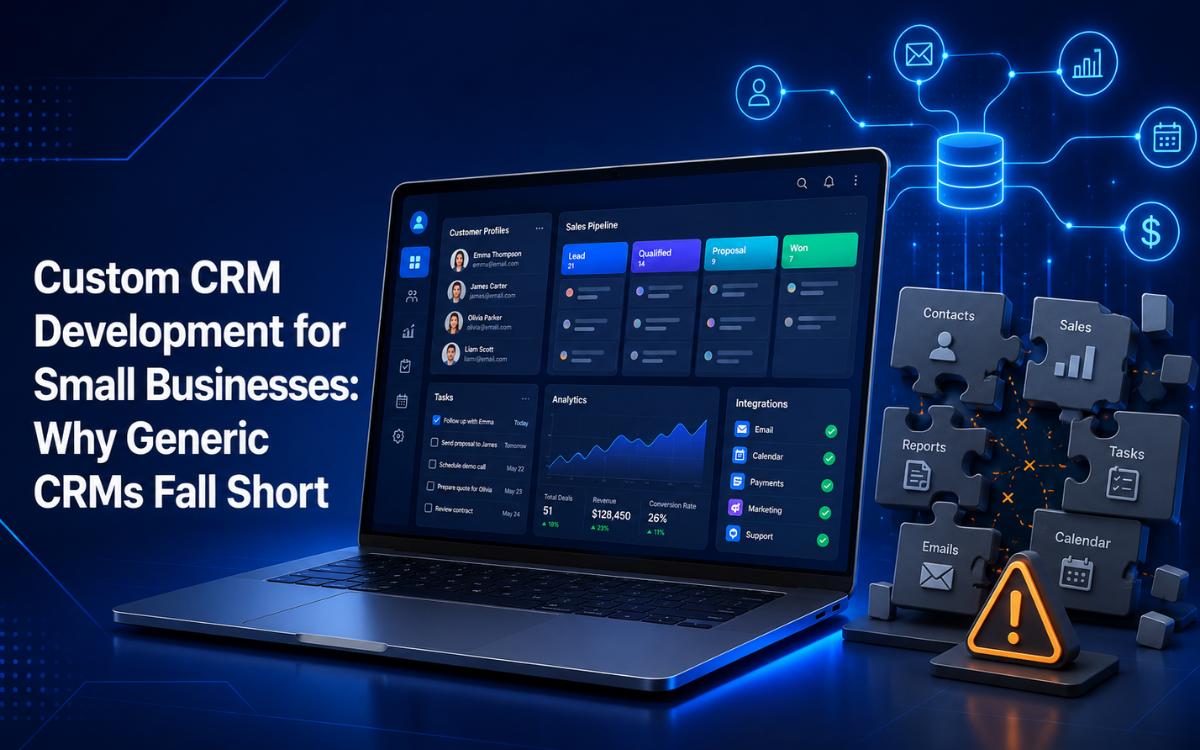
For businesses with specialized sales processes, service workflows, or customer journeys, custom CRM development for small businesses can provide a more practical alternative: software designed around the way the company actually works.
What Is a Custom CRM?
A customer relationship management system (CRM) is designed to help businesses manage interactions with prospects and customers.
A typical CRM can track:
- Leads
- Contacts
- Sales opportunities
- Follow-ups
- Customer communications
- Deals
- Tasks
- Appointments
- Sales activity
- Reports
A custom CRM for small business goes a step further.
Instead of asking your team to adapt to a predefined workflow, the CRM is designed around your company's specific processes.
That could mean creating custom:
- Pipeline stages
- Lead qualification rules
- Customer fields
- Follow-up workflows
- User roles
- Notifications
- Reports
- Dashboards
- Integrations
- Automation rules
The goal isn't to build a CRM simply because your business needs custom software.
The goal is to remove the friction created when generic software doesn't match the way your team operates.
Why Generic CRMs Often Fall Short
Generic CRM platforms are built to serve thousands—or millions—of businesses.
That's their strength and also their limitation.
They need to support many different industries, sales models, team structures, and workflows.
As a result, your business may find itself adapting to the software rather than the other way around.
1. The Pipeline Doesn't Match Your Sales Process
Most CRMs provide predefined sales stages.
You might see:
New Lead → Contacted → Qualified → Proposal → Negotiation → Won
That sounds reasonable.
But what if your actual process looks like:
Inquiry → Eligibility Check → Site Visit → Technical Review → Proposal → Management Approval → Contract → Onboarding
Trying to force that process into a generic pipeline can make the CRM harder to use.
A custom CRM can reflect the actual stages your sales team follows.
This makes the system easier to understand and gives management more meaningful visibility into where deals are actually getting stuck.
2. Too Many Fields Create Friction
Generic CRMs often include a large number of fields.
Some may be useful.
Others may never be relevant to your business.
If employees have to fill out dozens of fields every time they create or update a lead, they may eventually stop maintaining records properly.
A custom CRM can prioritize the information that actually matters.
For example:
- Customer name
- Phone number
- Lead source
- Service required
- Estimated value
- Location
- Assigned employee
- Next follow-up
- Lead status
Everything else can be optional or automated.
The result is a simpler experience for the sales team.
3. Employees Create Workarounds
One of the clearest signs that your CRM isn't working is the presence of unofficial systems around it.
You might discover:
- Excel spreadsheets
- Personal notebooks
- Shared Google Sheets
- WhatsApp conversations
- Email reminders
- Separate calendars
- Manually maintained customer lists
These aren't necessarily signs that employees are doing something wrong.
They're often signs that the official system doesn't support the workflow they need.
When the CRM doesn't make it easy to perform a task, employees naturally find another way.
The problem is that those workarounds fragment your business data.
4. You're Paying for Features You Don't Use
Generic CRM platforms often operate on subscription plans.
Higher plans may unlock additional features, automation, reporting, users, integrations, or storage.
But a small business may only need a fraction of what the platform offers.
Over time, subscription costs can become significant—particularly as the team grows.
A custom system takes a different approach.
You build what the business needs and can add functionality as requirements evolve.
That doesn't automatically make custom software cheaper in every situation, but it can make the economics more attractive for businesses with specialized workflows or a large number of users.
What Custom CRM Development Gets Right
The biggest advantage of custom CRM development is alignment.
The system is designed around your business instead of forcing your business into a predefined template.
Pipeline Stages That Match Reality
Your sales pipeline should reflect how deals actually move.
A custom CRM can support your exact process.
For example:
New Inquiry
↓
Lead Qualified
↓
Consultation Booked
↓
Proposal Sent
↓
Follow-Up
↓
Negotiation
↓
Won
↓
Customer Onboarding
Every stage can have its own rules, required information, notifications, and actions.
That creates a much more useful operational picture than a generic pipeline.
Automated Follow-Ups
One of the most valuable CRM features is often one of the simplest:
Don't let good leads get forgotten.
Sales teams manage many conversations simultaneously.
Without automation, follow-ups can depend on memory, sticky notes, spreadsheets, or personal calendars.
A custom CRM can automatically create reminders based on your process.
For example:
- Lead created → Contact within 24 hours
- Proposal sent → Follow up after 3 days
- No response → Follow up again after 7 days
- Deal inactive → Notify sales manager
These rules can be customized around your actual sales cycle.
Website and CRM Integration
Your website is often one of your biggest sources of leads.
If a potential customer submits a form, that information should ideally flow directly into your CRM.
Instead of:
Website Form → Email Notification → Employee Copies Information → CRM
You can create:
Website Form → CRM → Sales Workflow
The CRM can automatically:
- Create the lead
- Record the source
- Assign an employee
- Set a follow-up task
- Send a confirmation
- Trigger internal notifications
This reduces manual data entry and gets leads into the sales process faster.
WhatsApp and Communication Integrations
For many businesses, customer conversations don't happen primarily through email.
They happen through messaging platforms such as WhatsApp.
If important customer information is scattered across individual conversations, managers struggle to understand the full customer journey.
Depending on platform requirements, a CRM can be designed to integrate relevant communication channels so customer interactions remain connected to the customer record.
The objective is simple:
Keep important customer information connected to the customer profile.
Email Integration
Email is another common CRM integration.
A custom CRM can potentially help teams:
- Record important communications
- Track customer correspondence
- Create follow-up tasks
- Associate messages with customers
- Trigger workflow events
- Send automated notifications
The goal isn't to replace email.
It's to prevent important customer communication from becoming isolated from the rest of the sales process.
Custom CRM Reporting
One of the biggest frustrations with generic CRM software is reporting.
Businesses don't necessarily need more dashboards.
They need the right information.
A business owner may want to know:
- How many new leads arrived this week?
- Where did those leads come from?
- How many have been contacted?
- How many became qualified?
- How much revenue is currently in the pipeline?
- Which salespeople are following up consistently?
- Which deals have been inactive?
- How long does it take to convert a lead?
- Which services generate the most revenue?
A custom CRM can be designed around these questions.
Build Reports Around Decisions
A good report should help someone make a decision.
For example:
Problem: Too many leads are sitting untouched.
Useful report: Leads without first contact after 24 hours.
Or:
Problem: Deals are getting stuck after proposals.
Useful report: Proposals older than seven days without a recorded follow-up.
This is far more useful than generic pipeline charts.
Custom CRM Dashboards for Business Owners
A CRM dashboard should provide a quick overview of what requires attention.
Today's Priorities
- New leads
- Overdue follow-ups
- Deals requiring action
- Upcoming appointments
- Unresolved customer issues
Sales Overview
- Pipeline value
- Deals won
- Deals lost
- Conversion rate
- Revenue by salesperson
Lead Overview
- Leads by source
- Leads by status
- Lead response time
- Qualification rate
A business owner shouldn't have to navigate through multiple menus to determine whether the sales team has followed up with this week's leads.
The most important information should be visible immediately.
CRM Automation for Small Businesses
Automation can make a custom CRM considerably more valuable.
But automation should be based on real business rules.
Lead Assignment
New lead → Identify location/service → Assign appropriate salesperson
Follow-Up
Proposal sent → Create follow-up task for three days later
Escalation
Lead untouched for 48 hours → Notify sales manager
Customer Onboarding
Deal marked Won → Create onboarding checklist → Notify operations team
Customer Notification
Booking confirmed → Send confirmation
These workflows reduce administrative effort while creating more consistent processes.
Custom CRM User Roles and Permissions
Not every employee should have access to everything.
A custom CRM can define permissions based on responsibilities.
Sales Representative
Can:
- View assigned leads
- Update opportunities
- Create tasks
- Record customer interactions
Sales Manager
Can:
- View team pipeline
- Reassign leads
- Review performance
- Approve discounts
Administrator
Can:
- Manage users
- Configure workflows
- Manage system settings
- Access broader reports
Business Owner
Can:
- View company-wide dashboards
- Review revenue
- Analyze sales performance
- Monitor operations
Role-based permissions help keep systems secure and organized.
Custom CRM vs. Generic CRM: Which Is Better?
There isn't a universal answer.
A generic CRM can be an excellent choice for a business with a straightforward sales process.
If your requirements are simple and the existing software fits your workflow, there's no reason to build a custom system simply for the sake of customization.
A custom CRM becomes more compelling when the business has outgrown generic tools.
| Requirement | Generic CRM | Custom CRM |
|---|---|---|
| Quick initial setup | Usually strong | Requires planning |
| Standard sales pipeline | Strong | Strong |
| Highly specialized workflow | May require workarounds | Strong |
| Custom business rules | Limited | Highly flexible |
| Custom integrations | Depends on platform | Designed around requirements |
| Custom reporting | Available but constrained | Built around business needs |
| Ownership | Subscription-based | Business-owned software |
| Scalability of users | Often per-user pricing | Depends on architecture |
| Development effort | Lower initially | Higher initially |
| Control over roadmap | Limited | High |
Is a Custom CRM Worth It for a Small Business?
A custom CRM can be worth considering when your current system causes measurable problems.
For example:
- Employees spend hours maintaining spreadsheets
- Leads are frequently missed
- Follow-ups are inconsistent
- Managers lack visibility
- Customer information is fragmented
- Your pipeline doesn't match the CRM
- Existing software requires too many workarounds
- Your business depends on specialized workflows
- Subscription costs increase significantly as your team grows
- You need integrations existing CRM platforms don't support well
If none of these problems exist, a generic CRM may be perfectly adequate.
Think About the Cost of the Problem
Instead of asking:
"How much does a custom CRM cost?"
Also ask:
"How much is our current process costing us?"
Suppose five employees each spend two hours every week maintaining spreadsheets, reconciling information, and manually creating reports.
That's ten hours every week.
Over a year, that's more than 500 hours.
Now add:
- Missed leads
- Delayed responses
- Duplicate records
- Reporting errors
- Management time
- Lost opportunities
The business case becomes much clearer.
Frequently Asked Questions
How much does custom CRM development cost?
The cost depends on workflow complexity, integrations, automation requirements, user roles, reporting needs, and overall system scope. Businesses often start with a focused CRM MVP and expand over time.
Is a custom CRM better than Salesforce, HubSpot, or Zoho?
Not always. Generic CRMs work well for many businesses. A custom CRM becomes valuable when your workflow requires extensive customization, automation, integrations, or reporting beyond what standard platforms provide.
Can a custom CRM integrate with my website?
Yes. Website forms, inquiries, bookings, and lead generation systems can be connected directly to a CRM to automate lead capture and follow-up workflows.
Can a custom CRM include automation?
Absolutely. Common CRM automations include lead assignment, follow-up reminders, proposal tracking, customer onboarding workflows, notifications, and management alerts.
What is the biggest benefit of a custom CRM?
The biggest benefit is alignment. The CRM is built around your actual sales process, customer journey, and reporting needs instead of forcing your team to adapt to generic software.
Final Thoughts: Your CRM Should Adapt to Your Business
A CRM is supposed to organize your customer relationships.
It shouldn't become another administrative burden.
Generic CRMs are useful because they're fast, proven, and accessible. For many businesses, that's enough.
But when your team starts relying on spreadsheets, personal reminders, disconnected communication channels, and manual reports, it may be a sign that your CRM no longer fits your business.
That's where custom CRM development for small businesses can make sense.
A well-designed custom CRM can give your team:
- A pipeline that reflects reality
- Automated follow-ups
- Centralized customer information
- Integrated lead capture
- Better communication tracking
- Business-specific reporting
- Custom dashboards
- Automated workflows
- Greater control over the system
Most importantly, it can turn the CRM from something employees are required to use into something that genuinely helps them work.
The right place to start isn't with a feature list.
It's with a simple question:
Where does your current customer or sales process break down?
Fix that first, then build the CRM around the solution.
Which CRM problem is biggest for your business: missed follow-ups, scattered customer data, or poor reporting?
SpeckPro Editorial Team
CRM DevelopmentNotes from the SpeckPro team on building, improving, and scaling digital products.